Authentication
Create OAuth App
In order to authenticate agents in WxCC, an OAuth app needs to be configured.
- Navigate to Webex for Developers Portal
- Click
Log inand login with your Webex user - Click on the profile icon and navigating to
My Webex Apps - Click
Create a New App - Click
Create an Integration
Will this integration use a mobile SDK?
Select No
Integration Name
The name of the integration. Any name can be chosen.
Icon
Select any icon
App Hub Description
The description of the integration. Any description can be added.
Redirect URI(s)
The redirect URI needs to be copied from Salesforce and then inserted into this field.
- Open the
Visualforce Pagespage in Setup - Open the entry
CnxScvOAuthRedirect - Click the button
Preview - The URI can be copied from the newly opened tab
Format: https://<xxxxx>/apex/CnxScvOAuthRedirect
Scopes
These scopes need to be selected to run the connector:
cjp:configcjp:config_readcjp:user- (For WebRTC)
spark:webrtc_calling
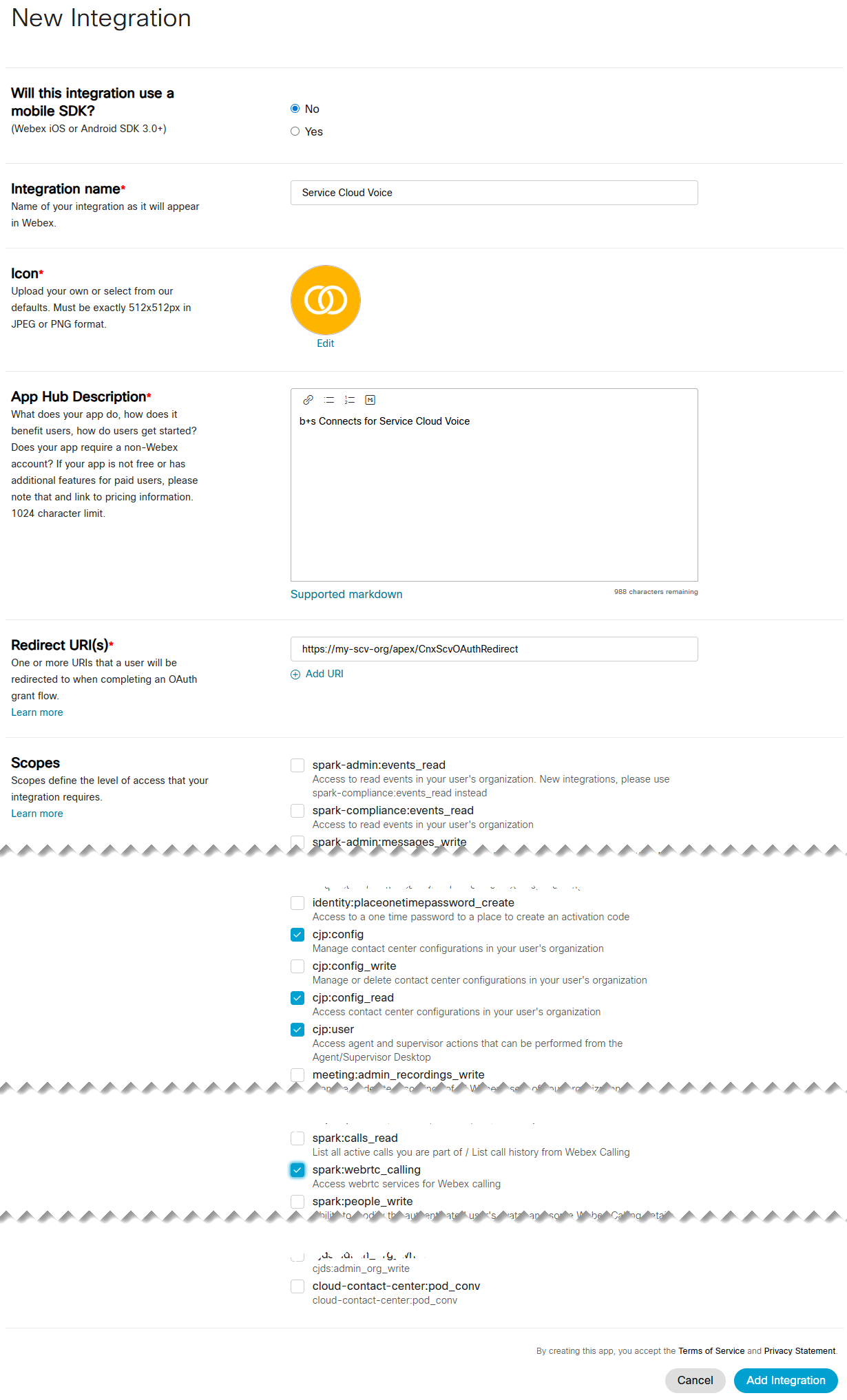
Add Integration
To save the OAuth app, the Terms of Services and Privacy Policy need to be accepted and the Add Integration button clicked.
Retrieve OAuth URL and Client Secret
As soon as the app is successfully created, you will be redirected to a new page where important data is displayed.
Client Secret
The Client Secret needs to be copied and then inserted into the Custom Metadata Type record within Salesforce.
OAuth URL
The OAuth URL needs to be copied and then inserted into the Custom Metadata Type record within Salesforce.