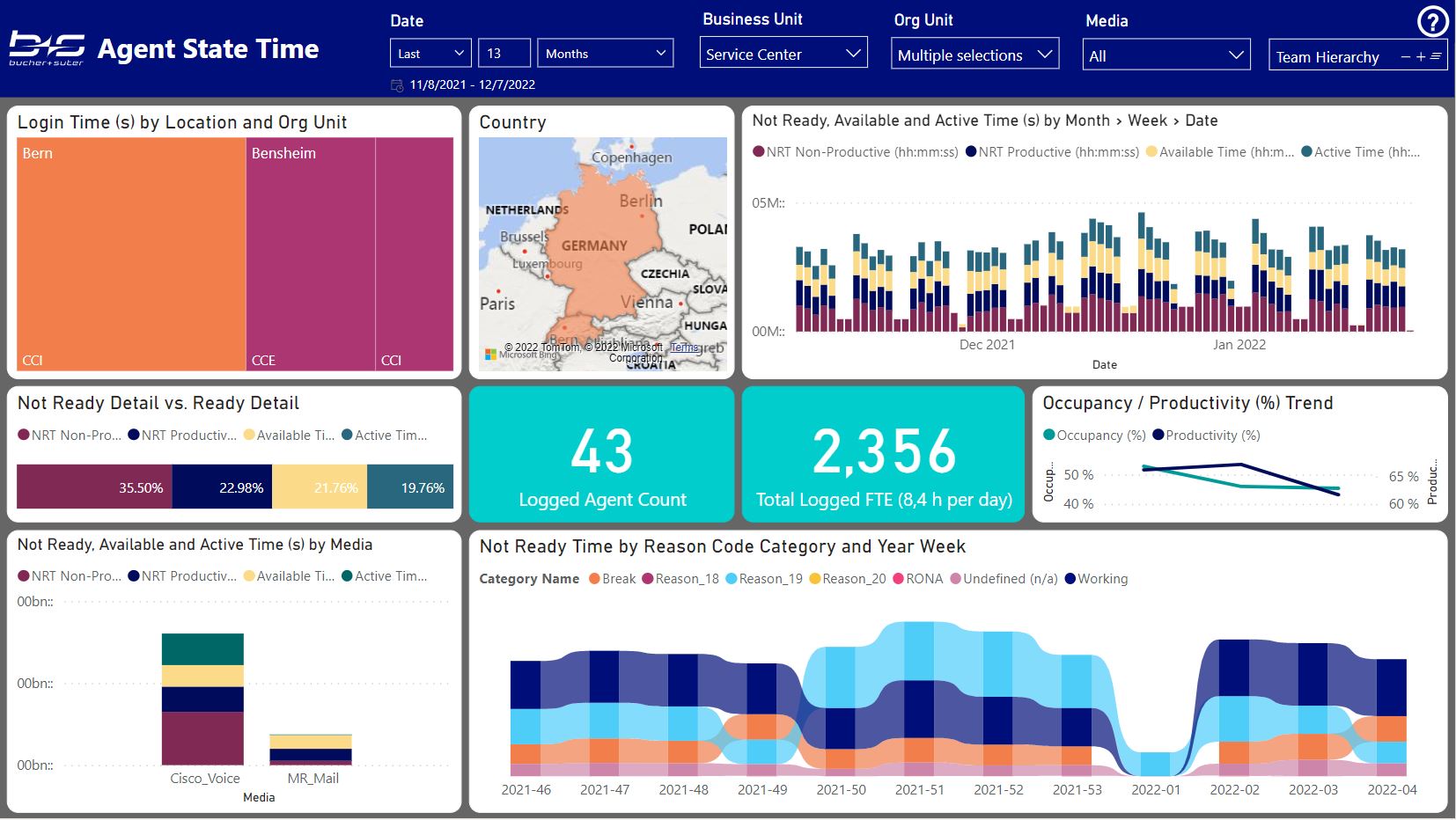
Supervisor
This report contains the following pages:
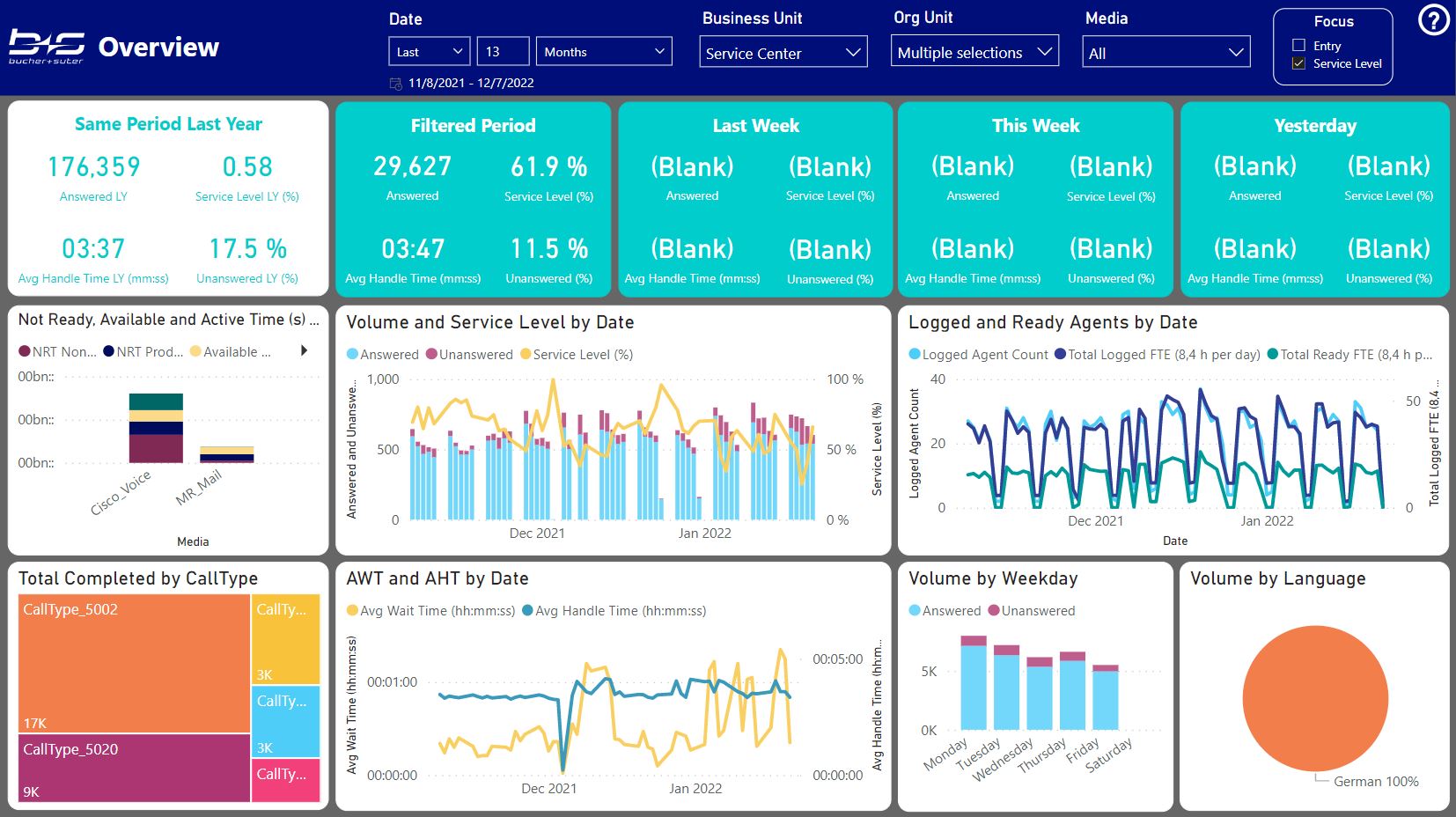
Overview
This report gives you an overview about a certain area within your Contact Center for a shorter period.
Customer Journey
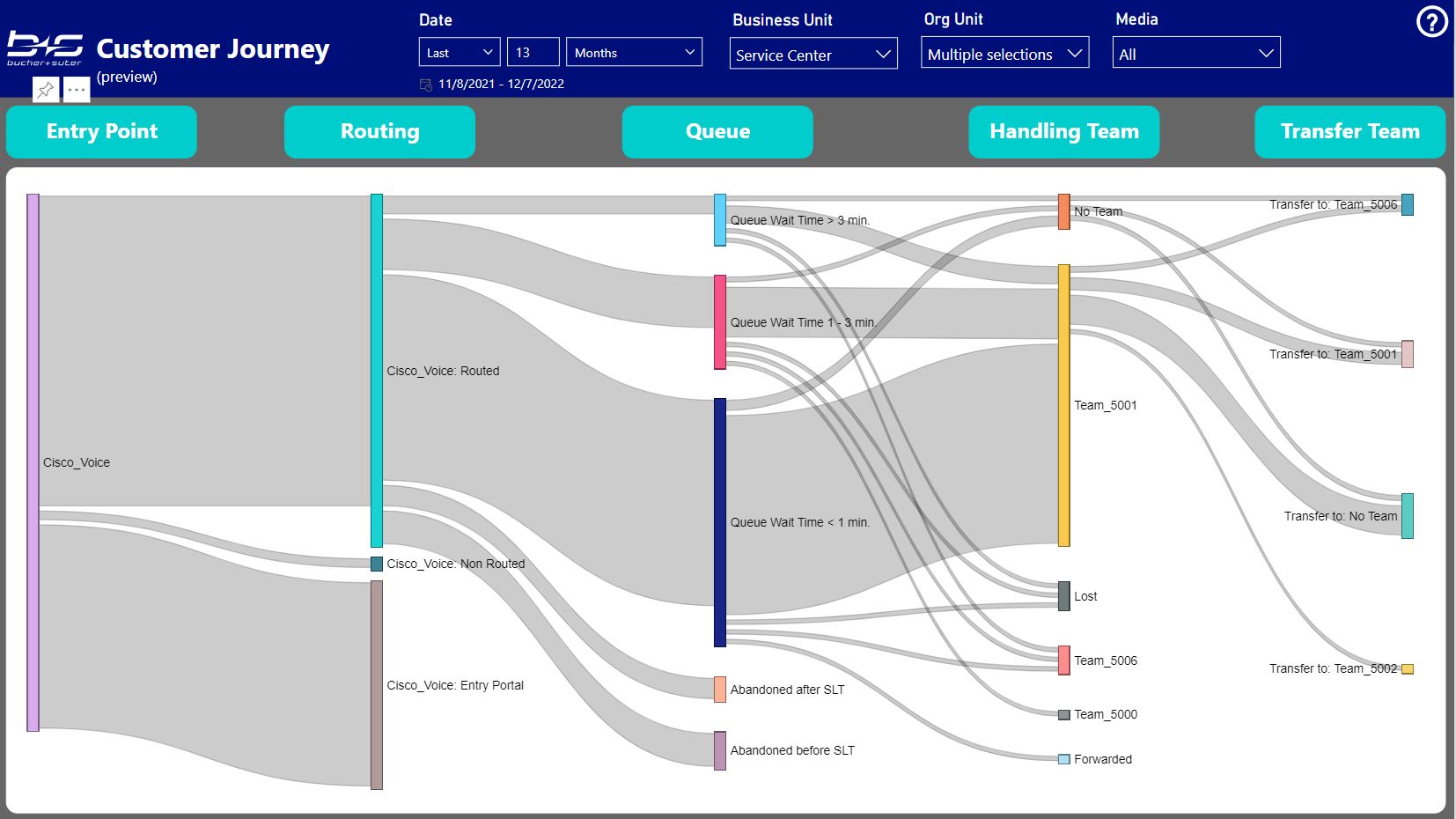
This report relates to a specific data aggregation of certain points within the Call Flow. It displays the volume of your customer tasks from the Entry Points to the Transfer Targets.
Entry point: Represents the volume per Media channel.
Routing: Separates the volume where no change to a Service Level relevant CallType and no routing happened (Entry Portal – e.g. out of hours), where the change to a Service Level relevant CallType but no routing happened (Non Routed – e.g. routing error) and where the change to a Service Level relevant CallType and also the routing to an agent, queue or forward target happened (Routed).
Queue: Displays the volume based on the answer wait time shorter than 1 minute, between 1 – 3 minutes and greater than 3 minutes and for abandoned calls, the volume before and after the service level threshold.
Handling Team: The agent team, where the task volume was answered (no team if the agents did not belong to a team) or the target/outcome without an agent handling (e.g. Forwarded, Lost, Fault).
Transfer Team: The agent team, where the task volume was transferred to from a previous agent (no team if the target was not an agent or the agents did not belong to a team)
This first draft is in preview state without any configuration options. Any feedback about further requirements or ideas are highly welcome.
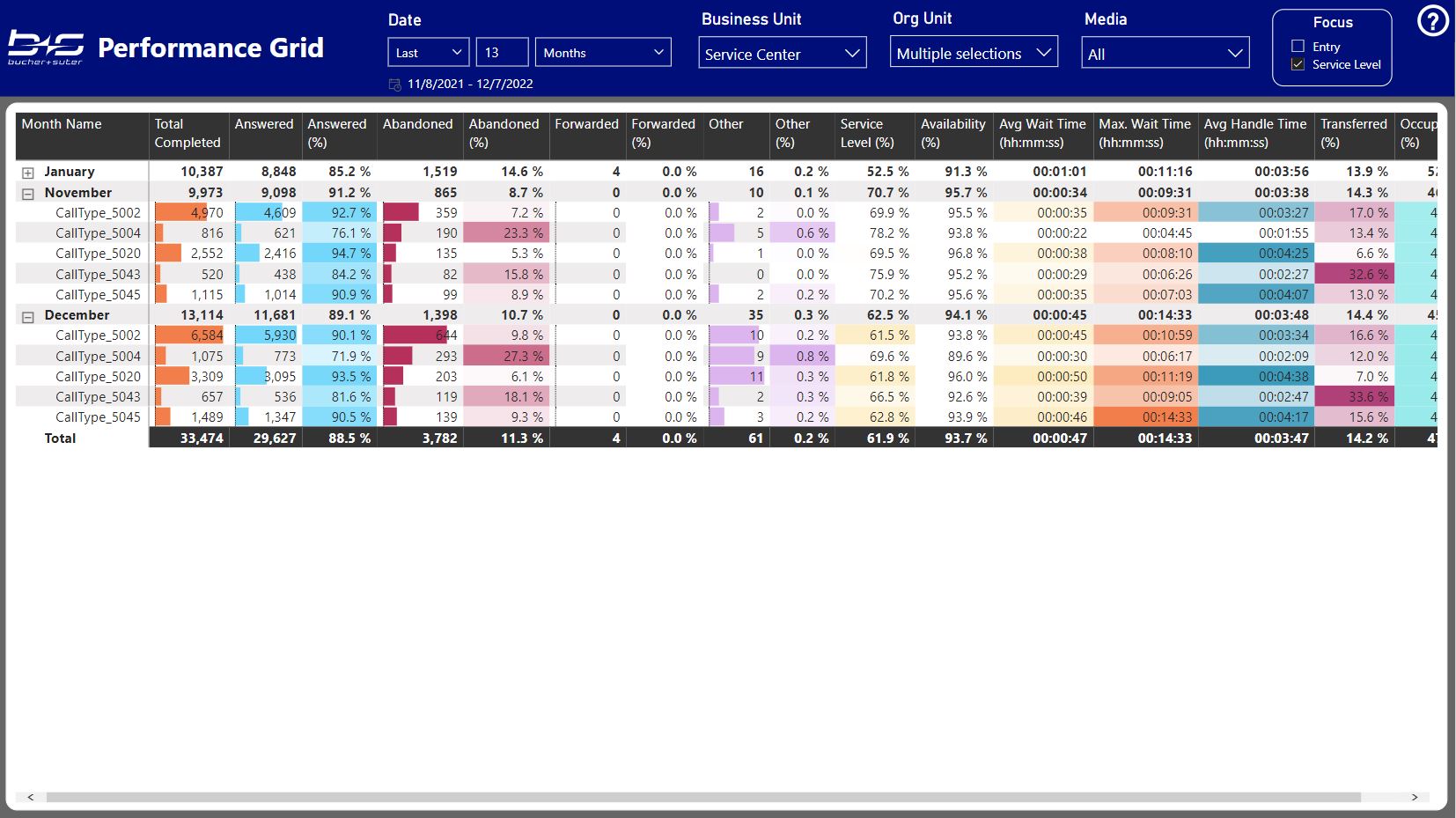
Performance Grid
Use this report to see the available measures in a tabular format including some groupings and conditional formatting.
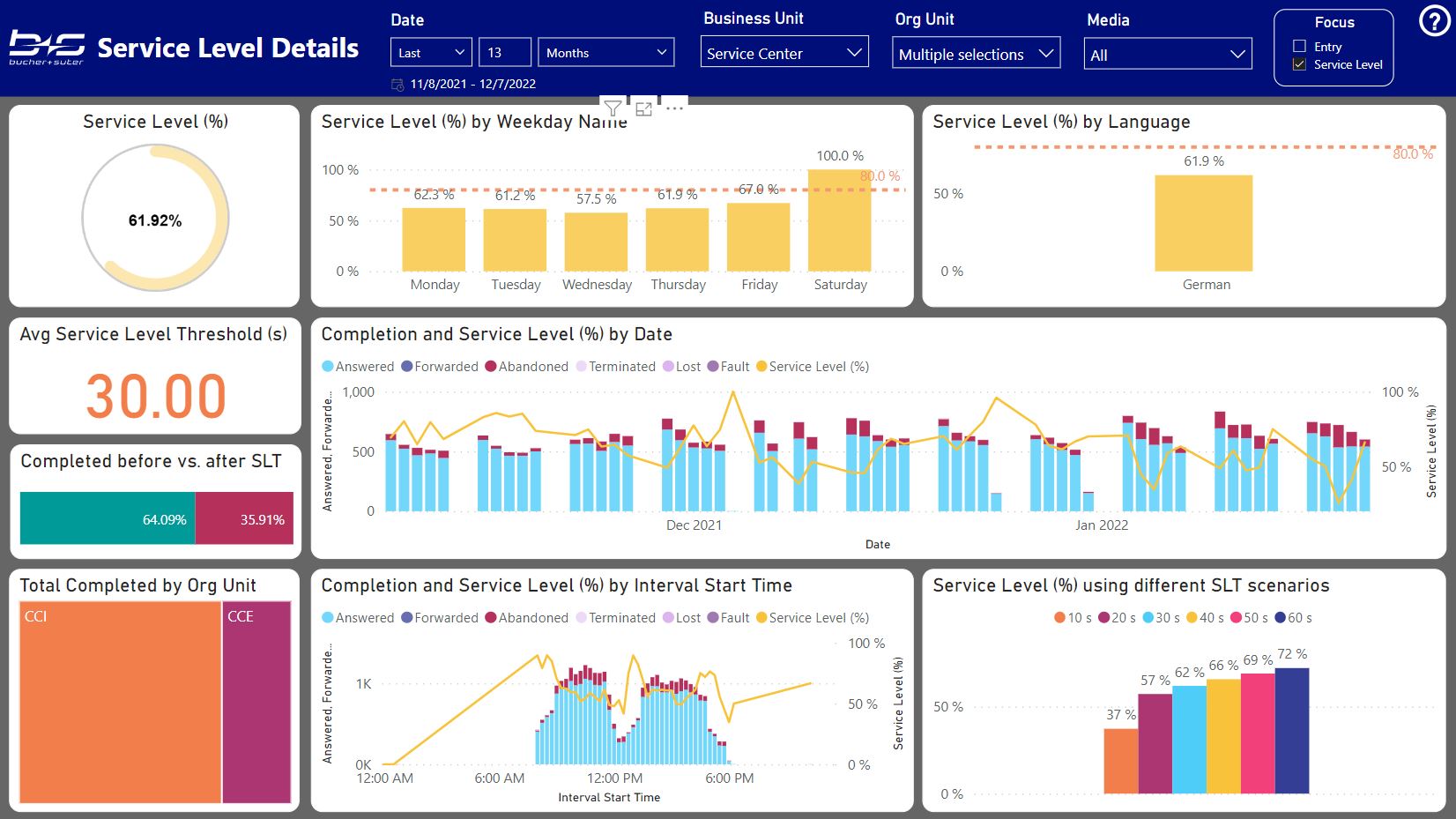
Service Level Details
This report helps you to investigate on the main drivers that affect your Service Level.
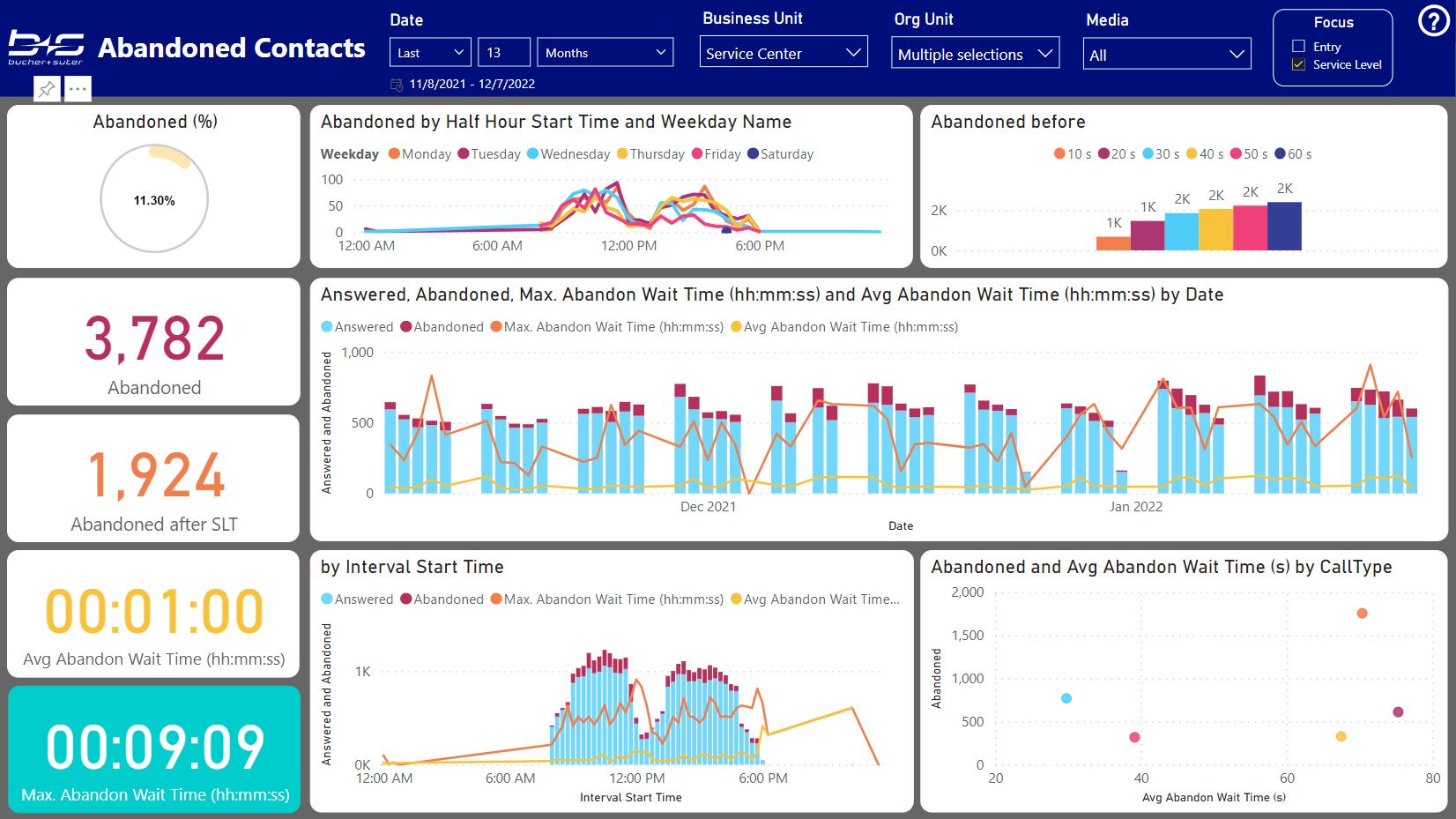
Abandonements
This report helps you to analyze your abandoned contacts and to find the reasons and areas where you could improve.
Agent States
This report gives you an overview about your available agents, their occupancy and activities during the not ready stage.